
How to generate a report for a client?
Perform the following steps to grab time tracking data from Toggl Track and share it with your client:
- Open the Detailed report in the webapp.
- Use the "Client" or "Project" filter to display data only for the relevant client.
- Tweak the Calendar filter if necessary (it's set to "This Week" by default).
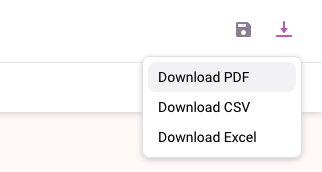
- Once you have the data you want to share with your client, click on the download icon in the top right corner and choose "Download PDF".
- Send the PDF to your Client via email or any other method you prefer.
Note: If your client requires a broader overview of the tracked time, send them a Summary report, instead.
Updated on: 06/16/2026
Thank you!