
What do the different Timesheet Statuses mean?
Time entries that need to be submitted for approval are grouped together as Timesheets and available for submission and review under the Approvals tab.
This feature is only available on the Premium or Enterprise plan.
Timesheets can be under one of four statuses at any given time. You can hover over a timesheet's status to see when it was submitted, approved, or rejected and by whom.
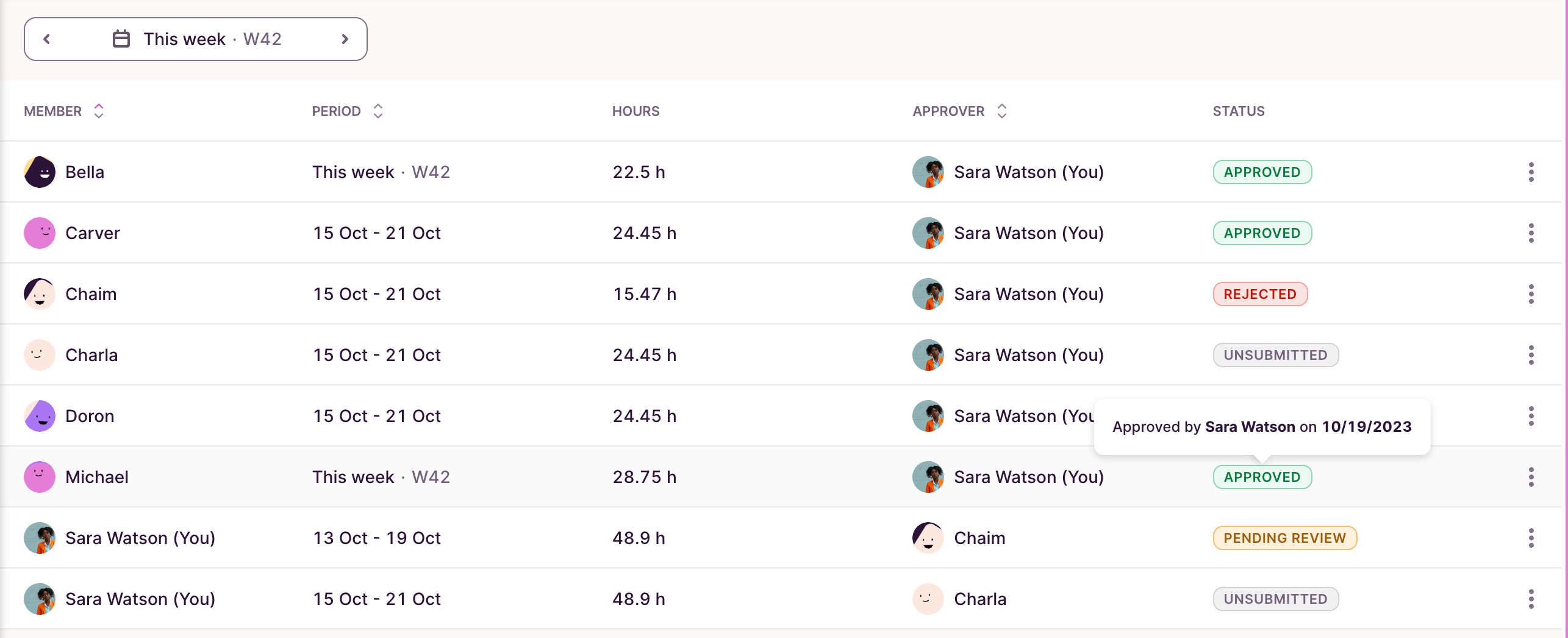
Unsubmitted
A timesheet is pending submission. Time entries in this timesheet can still be edited.
Submitted / Pending Review
The timesheet has been submitted to the approver and can only be edited by the user if rejected. Time entries in this timesheet will be marked with an orange exclamation mark (!) in Detailed Report.
Approved
An approver has approved this timesheet, locking it from further editing by the user. Time entries in this timesheet will be marked with a green checkmark in Detailed Report. An approved timesheet can be "Changed to Unsubmitted" by an Admin using the 3-dot control.
Rejected
An approver has rejected this timesheet. The submitter will get an email notification, can update it, and submit it for approval again. Time entries in this timesheet will be marked with a red exclamation mark (!) in Detailed Report.
A rejected timesheet can be Approved directly by an Admin using the 3-dot control.
Time entries in a Timesheet submitted for approval can only be edited by regular users once that timesheet has been rejected.
Updated on: 06/16/2026
Thank you!